DXD+3D Dental Express Design

At a glance

What this work solves.

Specialist desktop software, 3D inspection, geometry editing, and image-processing workflows.

Problem
Make detailed dental photographs and 3D scans practical to inspect, mark, and shape inside one desktop workflow.
My contribution
At Theory Team, built the custom C++ graphics foundation and created UI and texture-processing tools for the wider application.
Result
A desktop workflow connecting smile planning, scan review, margin definition, surface editing, and project tools.
Try the interactive demo

Draw an eight-point margin on a scan, then sculpt with add and smooth brushes.
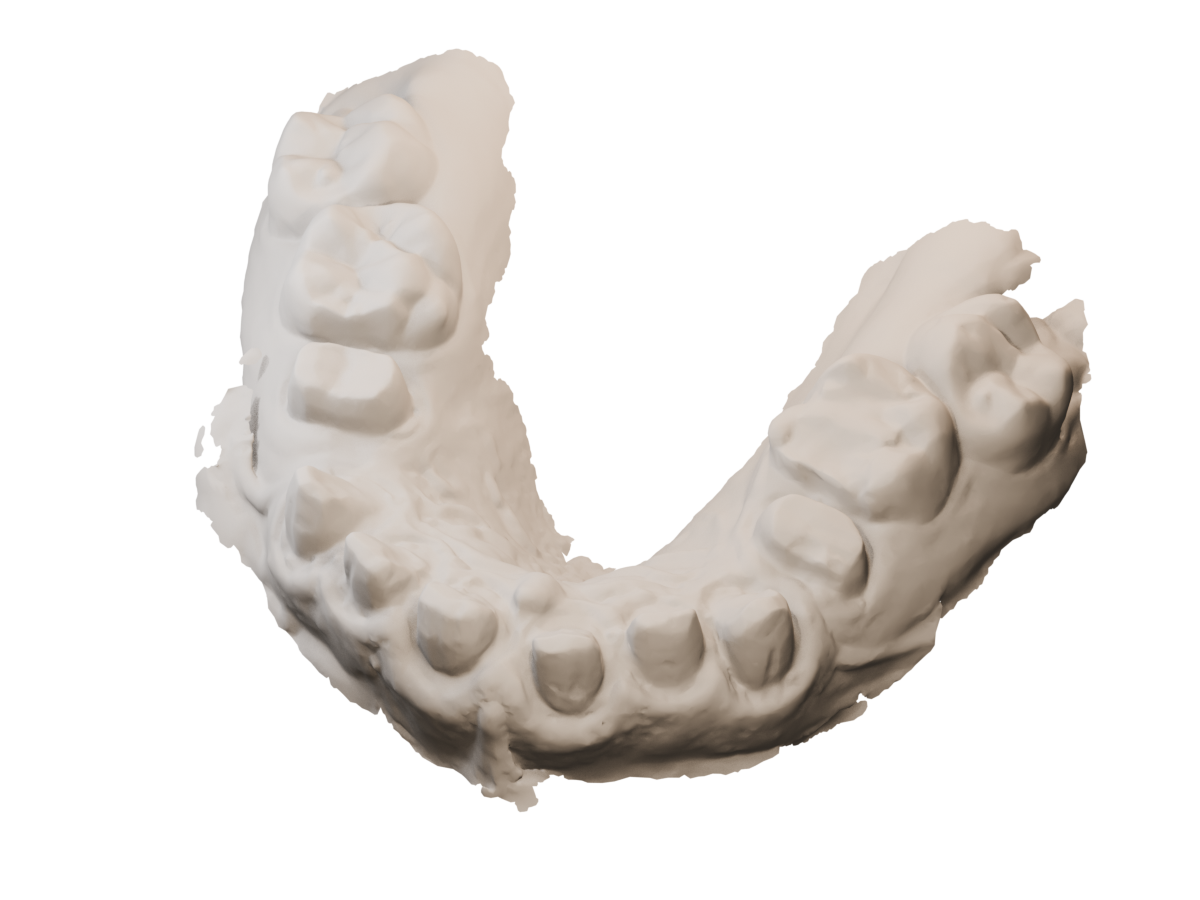
Margin editor · eight guided points
Prepared upper dental scan with visible tooth preparations
PREPARED SCAN / MARGIN EDITOR
01 / TRACE

Precision starts
at the boundary.

Scroll to trace the preparation.
Discover the project as you draw.

YOUR FIRST POINT

Follow the surface.

Scroll to place each point on the prepared tooth, or click the finish line yourself. Close the outline to reveal the red surface mask.

00/ 08

Click to place · drag to rotate · eight points close the margin

Preparing the scan…
The full project
BEHIND THE EXPERIENCE / DXD+

A smile on the surface.
An engine underneath.

3D Dental Express Design connects photo-based smile planning, scan preparation and direct 3D editing in a desktop workspace powered by TheoryEngine.

PRODUCT / NASHAWY BROS.DEVELOPMENT / THEORY TEAM

A small window into a larger system.

This interactive experience uses simplified versions of DXD+’s surface-navigation, region-masking and mesh-editing algorithms. Trace a margin on a prepared dental scan, reveal the enclosed surface mask, then explore tooth sculpting as a side experience.

THE ORIGINAL APPLICATION

Inside the desktop workspace.

Reference screens from DXD+ itself, following one case through the numbered setup flow.
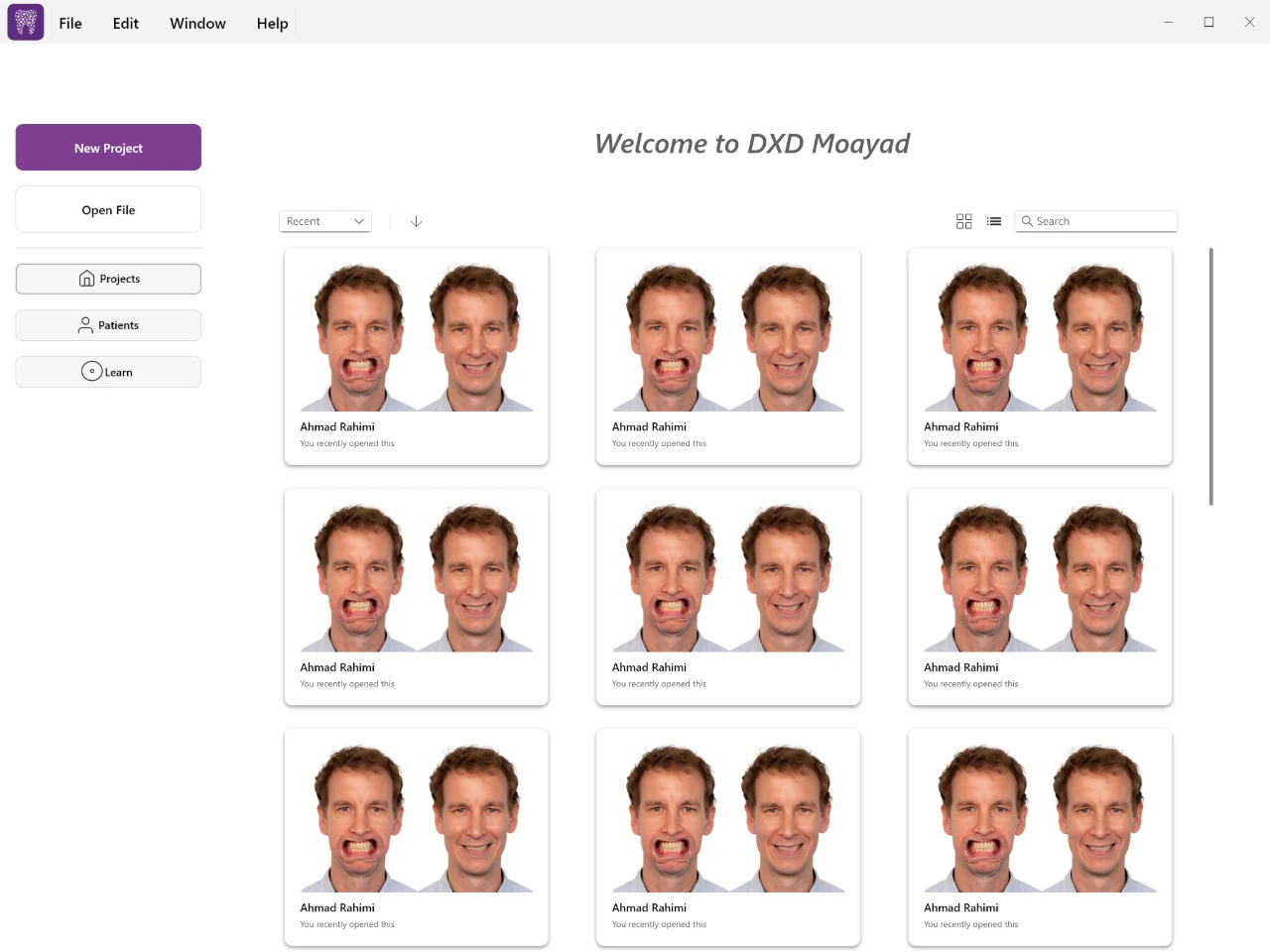
The application home in the DXD+ desktop application
The application homeThe desktop application: recent work as case cards, each showing the smile and retracted photographs for that patient, with new-project, open-file, projects, patients and learn entries alongside. Photo-based smile design has to start from the case images, so every card carries them.

Application references supplied with the project: Windows desktop captures of DXD+ running on a real case, from the case grid to 3D scan matching. The experience above is a browser recreation of the same ideas.

THE FULL WORKFLOW

Every detail has a tool.

Every point introduces one part of DXD+. Explore the complete feature list here at any time.

01

Plan in two dimensions.

Smile design
  • Patient and tooth-selection setup, smile and retracted photo import, photo matching and image adjustment.
  • Facial reference points, measurement calibration, editable guidelines and proportion controls.
  • A layered 2D workspace for placing tooth templates over photographs and adjusting the composition.
02

Bring the scan into the picture.

Scan preparation
  • Import upper and lower scan meshes and align them using corresponding reference points.
  • Clean up scan geometry and define per-tooth margin lines through an interactive surface workflow.
  • Connect scan preparation, photo matching and tooth placement across dedicated setup views.
03

Start from anatomy. Make it your own.

Template libraries
  • Load upper and lower tooth libraries from the custom .dxdtemplate format.
  • Place, transform and mirror teeth; manage teeth and scans in an organized scene outliner.
  • A separate TemplateEditor prepares reusable tooth meshes, masks, thickness maps and library previews.
04

Shape the surface directly.

Sculpting tools
  • Add/remove, smoothing, grab, angle grab and normal-constrained tools edit tooth geometry directly.
  • Cusp and ridge brushes provide more specific anatomical editing operations, alongside a thickness brush.
  • Brush radius and strength control the affected area. Vertex changes and normal updates feed straight back into the viewport.
  • The browser experience demonstrates normal displacement and adjacency-based smoothing, with an undo step for each stroke.
05

Look beneath the surface.

Geometry analysis
  • Distance and thickness visualization work alongside cement-gap and material-thickness settings.
  • The desktop clearance-repair system combines a triangle BVH, sparse Eigen solves and as-rigid-as-possible deformation.
  • Margin anchors, cervical transition weights, edge/triangle checks and intersection checks constrain repair attempts.
  • Repair results distinguish complete, partial, invalid and cancelled work. This browser demo does not run the repair solver.
06

Move between making and inspecting.

Viewport tools
  • Custom 2D/3D viewports, orbit controls, transform handles, tooth selection, outlines and multiple shading modes.
  • Lighting controls, notes, measurements and visibility tools support detailed review of a design.
  • Dockable tools and shared DXDCore controls keep the application’s different workspaces connected.
07

Keep the work editable.

Project workflow
  • Custom binary project serialization and autosave preserve application state.
  • Command-based undo/redo supports transactions and grouped changes across UI and mesh editing.
  • Export preparation and OBJ, STL and PLY output connect the design workspace to other geometry tools.
  • Application logging, desktop packaging and hardware-backed licensing support distribution and maintenance.
08

Build tools that build more tools.

Supporting modules
  • TheoryEngine supplies a C++ entity/component system, geometry and math utilities, OpenGL rendering, asset import and UI infrastructure.
  • DXDPipeline and DXDImageFilters provide reusable processing steps, including color, intensity, blur, edge, threshold and morphology filters.
  • Optional x64 ONNX Runtime filters detect facial features and generate masks and overlays.
  • DXDNodes supplies graph documents, typed ports, connections, a node canvas and serialization. DXDNodesApp and DXDGeometryNodes are separate tools in the repository.
  • An Android native build shares the core C++ sources through the NDK and an OpenGL ES rendering path.
THE ORIGINAL TOOLKIT

Built close to the metal.

Core application

  • C++20
  • TheoryEngine
  • DXDCore
  • ECS
  • Command pattern

A custom engine and reusable UI layer beneath the desktop dental editor.

Graphics & interface

  • OpenGL
  • GLSL
  • GLFW
  • GLEW
  • Dear ImGui
  • XML UI

GPU buffers, shaders, viewports, docking and the engine’s component-based UI system.

Geometry & files

  • Eigen
  • Triangle BVH
  • ARAP
  • OBJ / STL / PLY
  • Binary serialization

Mesh navigation, spatial queries, deformation, import/export and custom project/library formats.

Processing modules

  • DXDPipeline
  • DXDImageFilters
  • ONNX Runtime
  • DXDNodes

Reusable image-processing and graph-editor modules; optional facial-feature inference on x64.

Desktop delivery

  • CMake
  • MSVC
  • CTest
  • CPack / NSIS
  • GitLab CI
  • Rockey4ND

Windows builds, geometry tests, installer packaging and hardware licensing.

Android target

  • Android NDK
  • Gradle
  • CMake
  • EGL
  • OpenGL ES 3
  • Native app glue

A native Android target sharing engine, core and DXD+ source selection.

Have a similarly specialized problem?

Let’s make the difficult part visible and usable.

Discuss a project Browse all work